SEO · GEO · AEO

Rank in Google.
Get cited by AI.

Trilar crawls your website in the cloud, joins Search Console, Analytics and server logs, and tells you what to fix first: for classic search and for ChatGPT, Perplexity and Google AI Overviews. No download, no licence per machine, no laptop left running overnight.

  • Runs in the browser
  • JavaScript rendering and login
  • Scheduled crawls with comparison
  • AI search checks built in
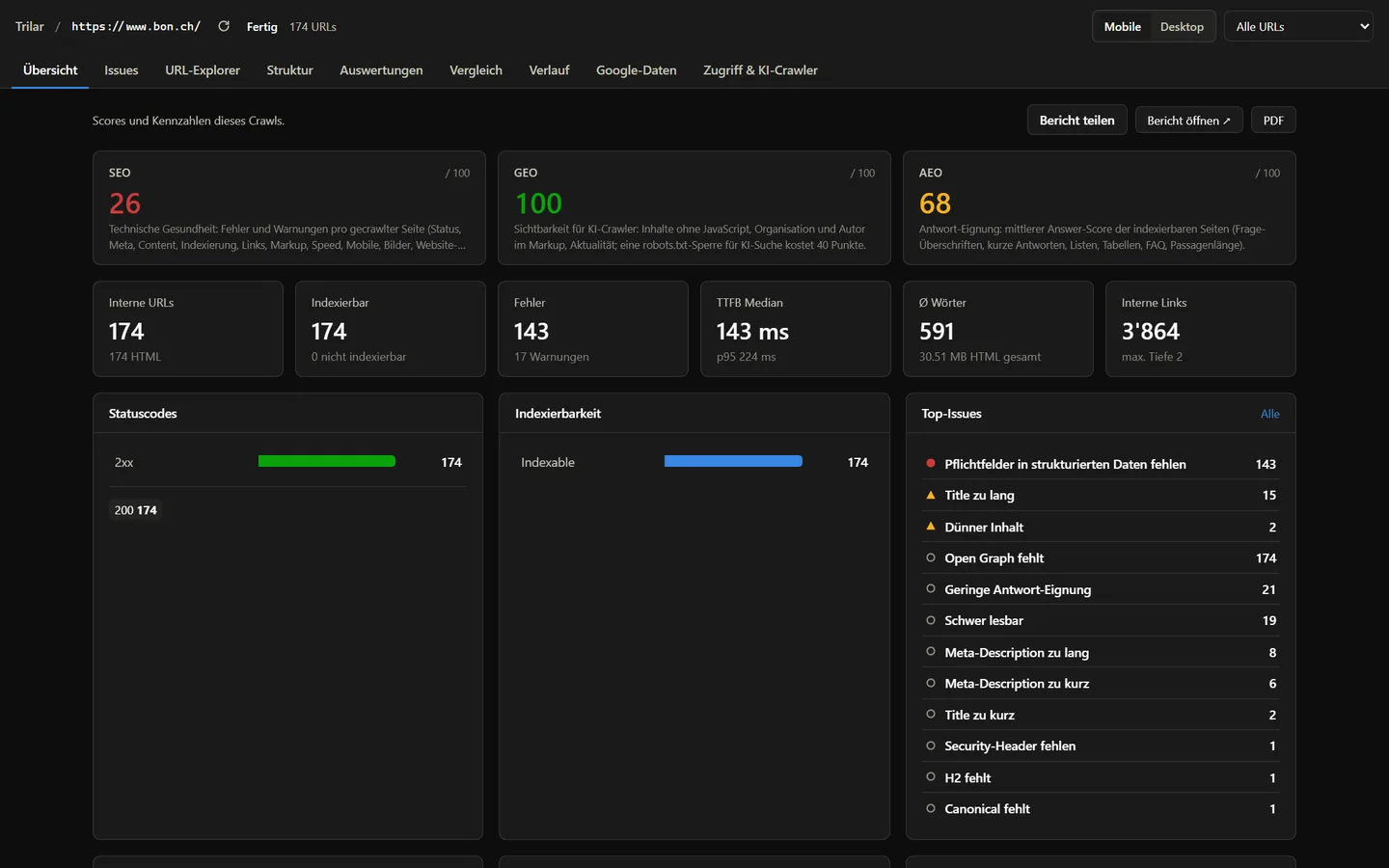
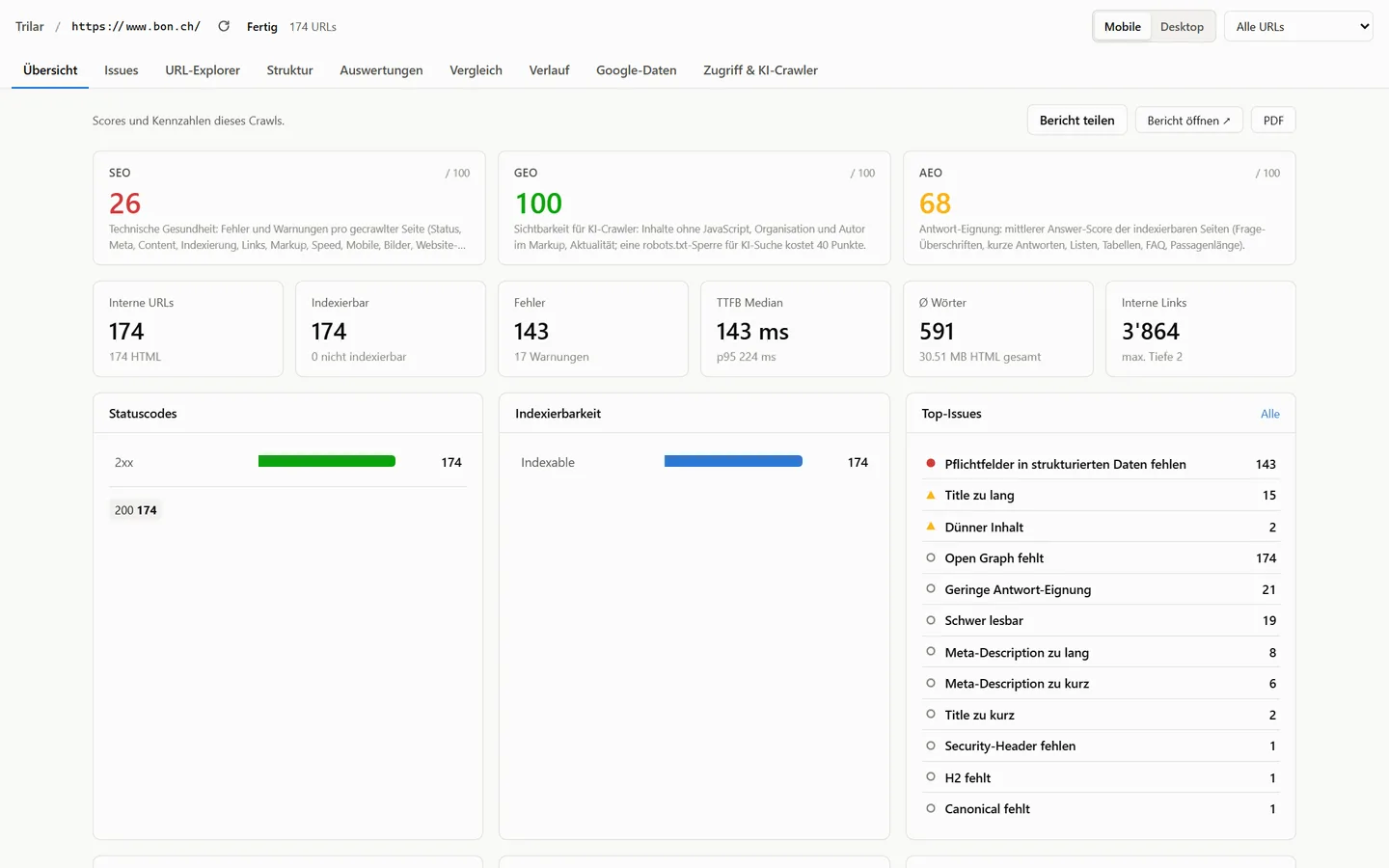
Trilar crawl overview with scores for SEO, GEO and AEO, issues by severity and crawl statistics Trilar crawl overview with scores for SEO, GEO and AEO, issues by severity and crawl statistics
Sample data
From crawl to action

Not another list of 4,000 warnings

seo

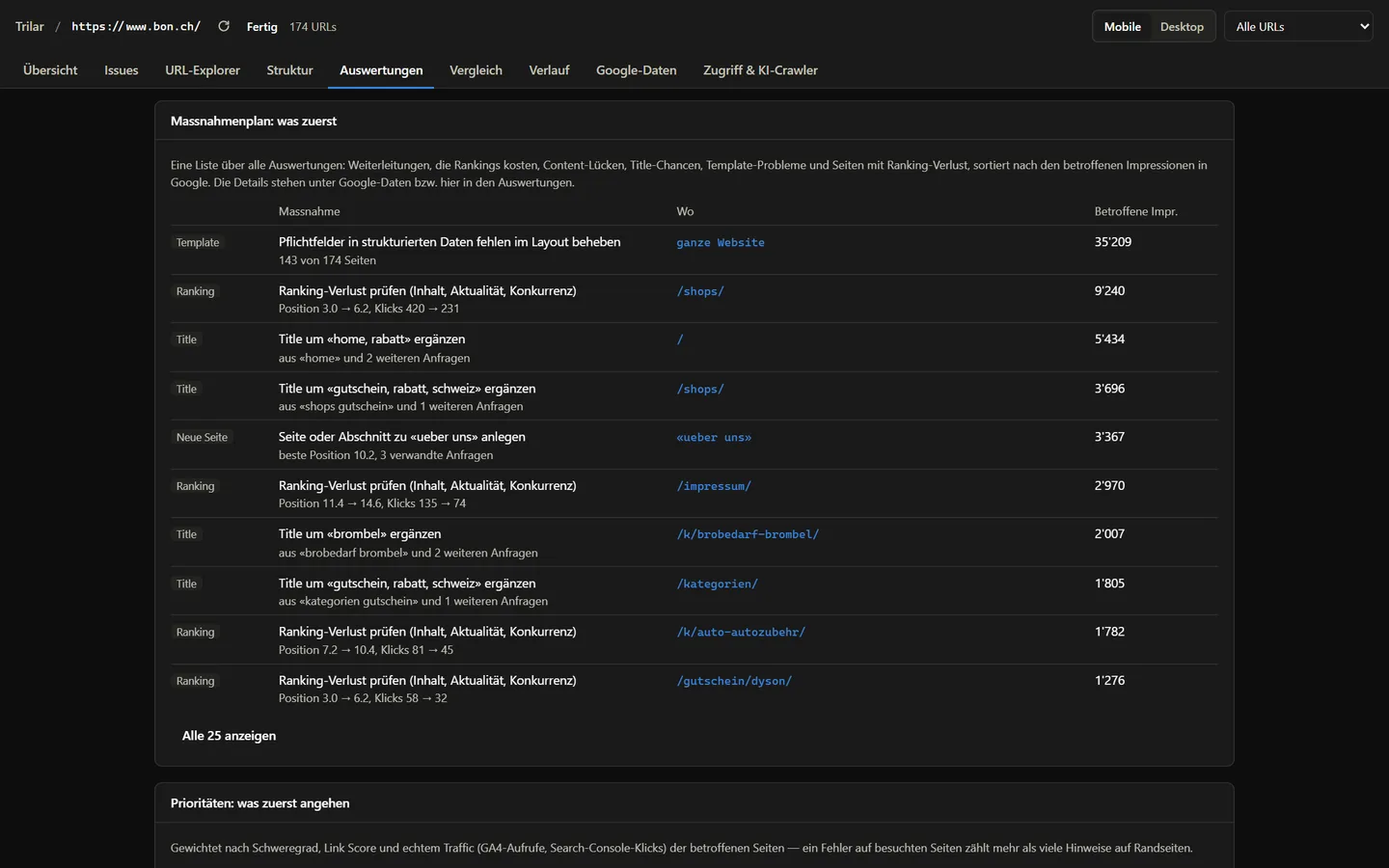
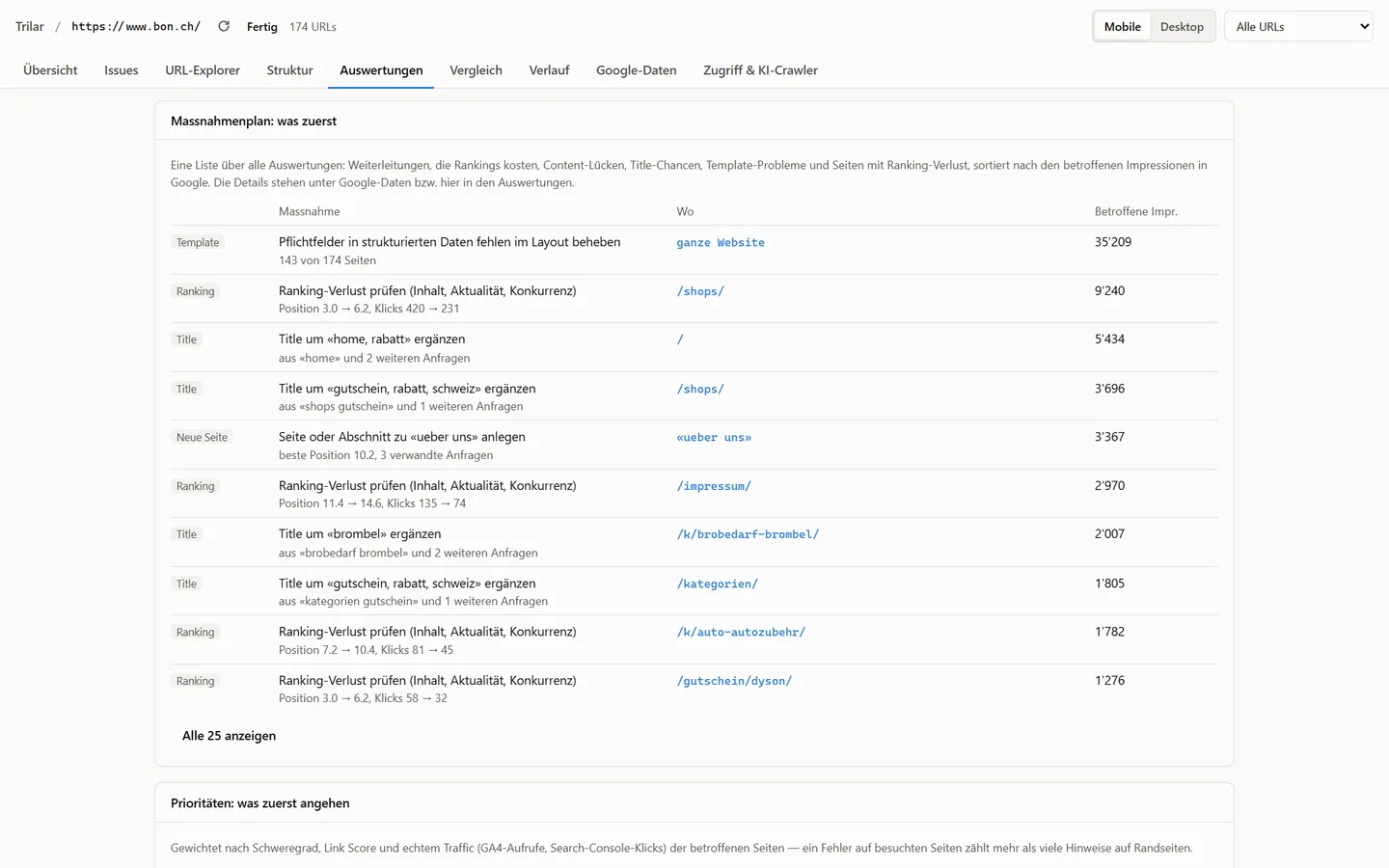
An action plan ranked by what it costs you

Trilar sorts its findings by impressions, clicks and the number of affected pages. Redirects that lose rankings, missing content, titles that miss the query and template problems end up in one list, most important first.

  • Export as tasks for Jira, Asana or developers
  • Template problems fixed in one place
  • Content briefs for missing topics
Learn more →
Action plan in Trilar listing redirects, content gaps and title opportunities by impressions Action plan in Trilar listing redirects, content gaps and title opportunities by impressions
Sample data
geo

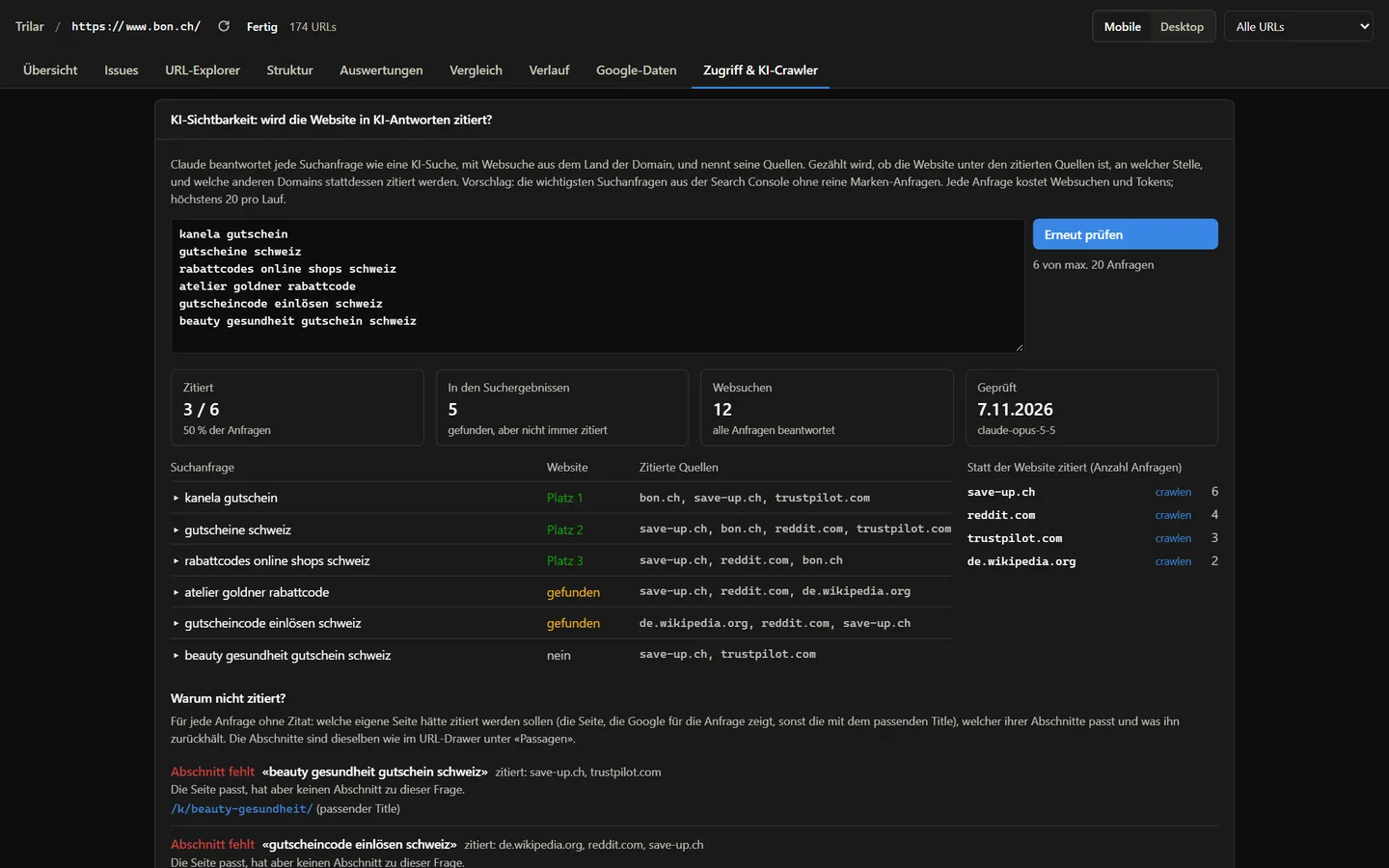
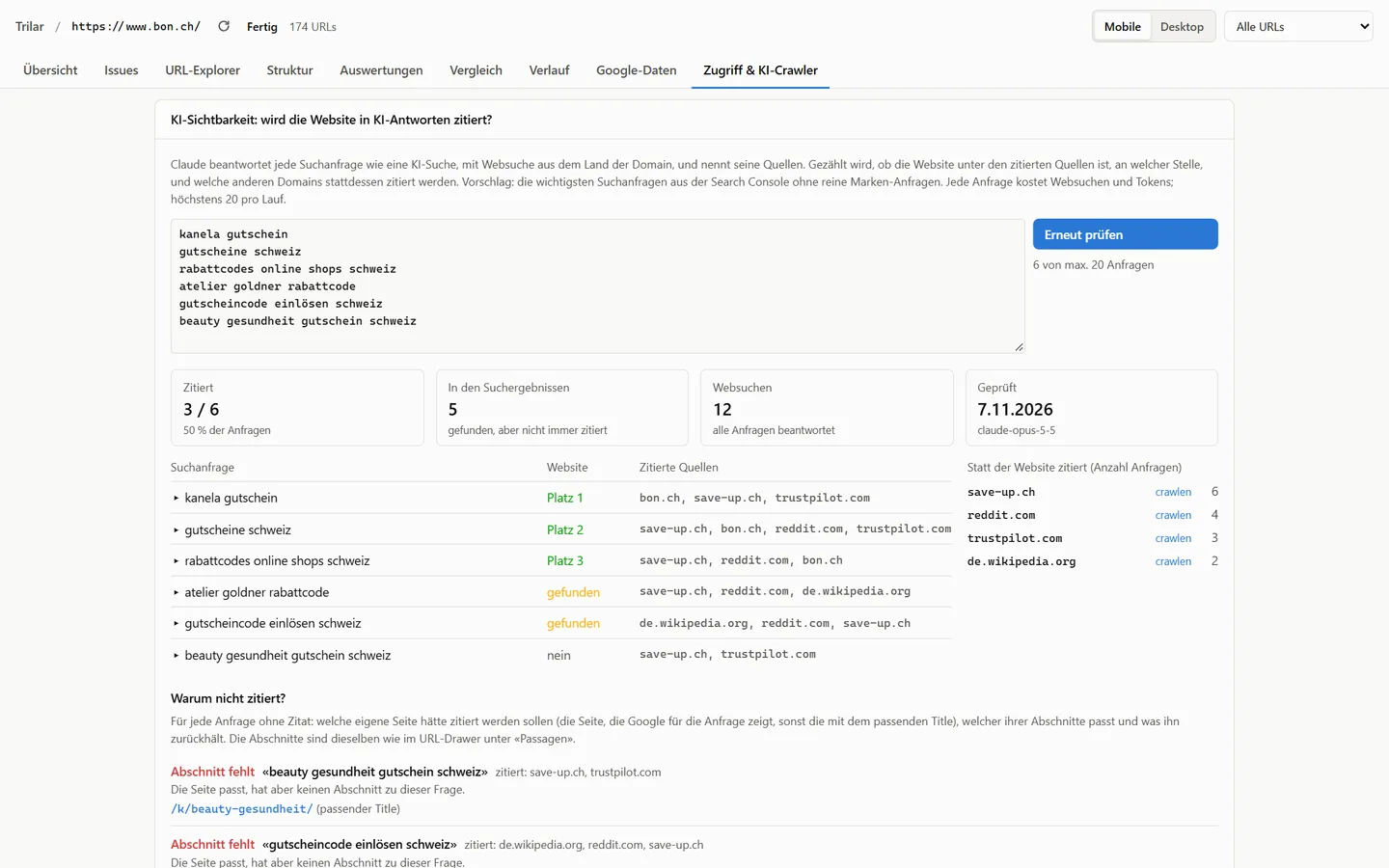
See who AI search cites instead of you

Trilar asks an AI model with live web search your important queries and records whether your site is cited, at which position and which domains win instead. For every miss it names the page and the section that should have been quoted.

  • Citation rate tracked over time
  • "Why not cited?" per query
  • Competitors by number of citations
Learn more →
AI visibility in Trilar showing cited queries, competing domains and the reasons a page was not cited AI visibility in Trilar showing cited queries, competing domains and the reasons a page was not cited
Sample data
aeo

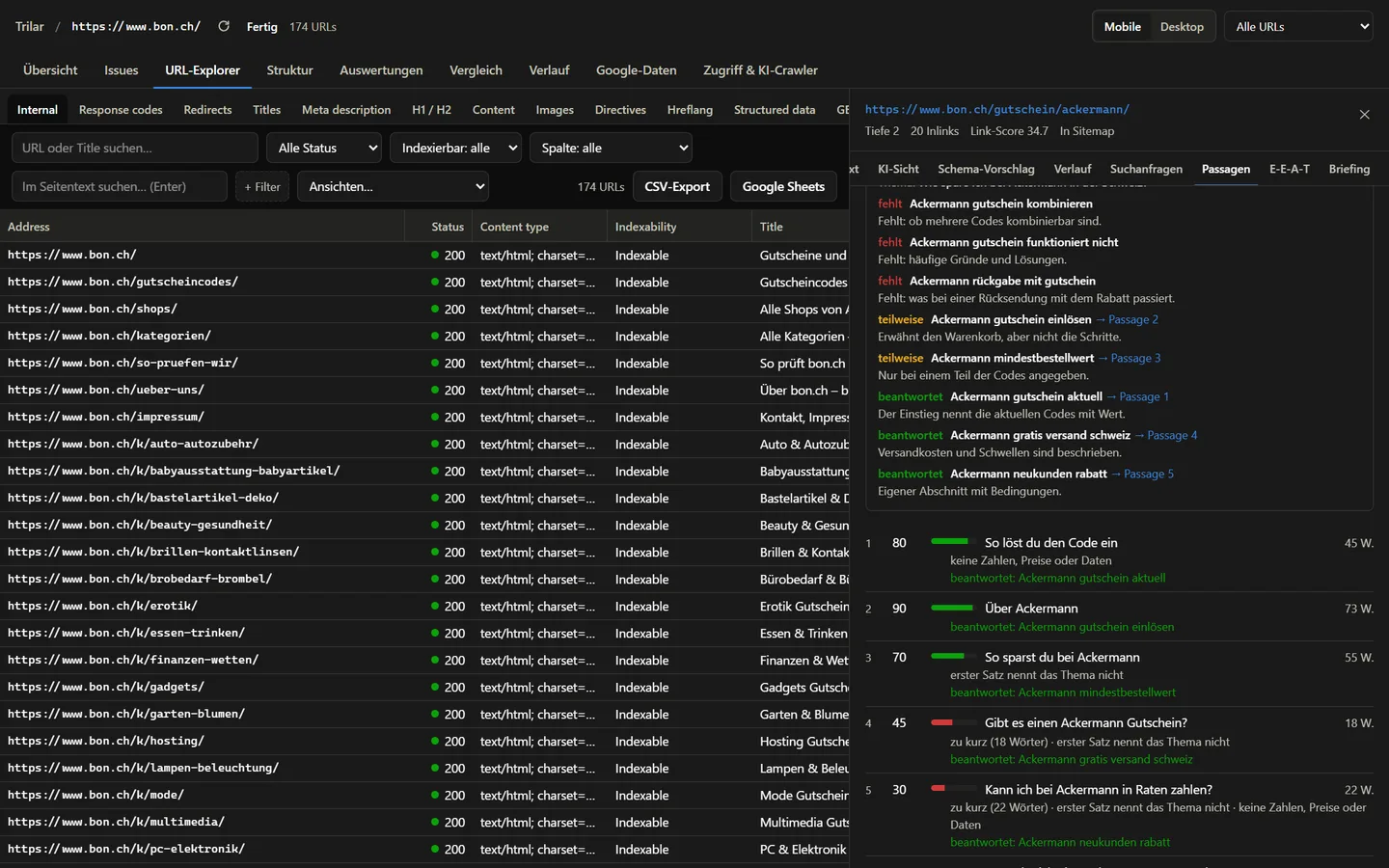
Passages an answer engine can quote

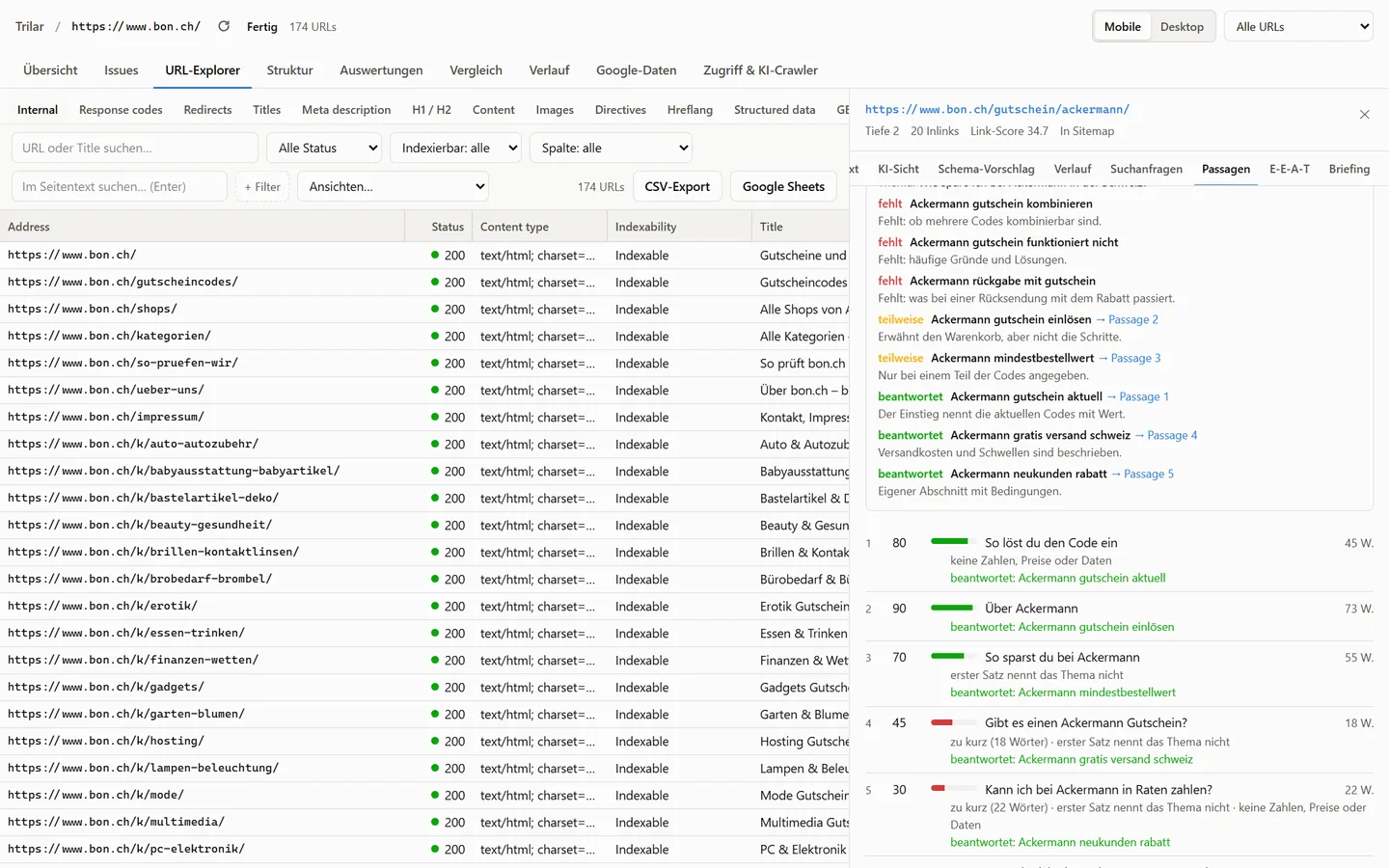
Answer engines quote sections, not pages. Trilar splits every page at its headings and scores each section for length, a self-contained first sentence, concrete facts and direct answers, then shows what holds the weak ones back.

  • Score from 0 to 100 per section
  • Sub-questions the page does not answer
  • Own text versus template text
Learn more →
Passage scores for one page in Trilar with the issues of each section Passage scores for one page in Trilar with the issues of each section
Sample data
seo

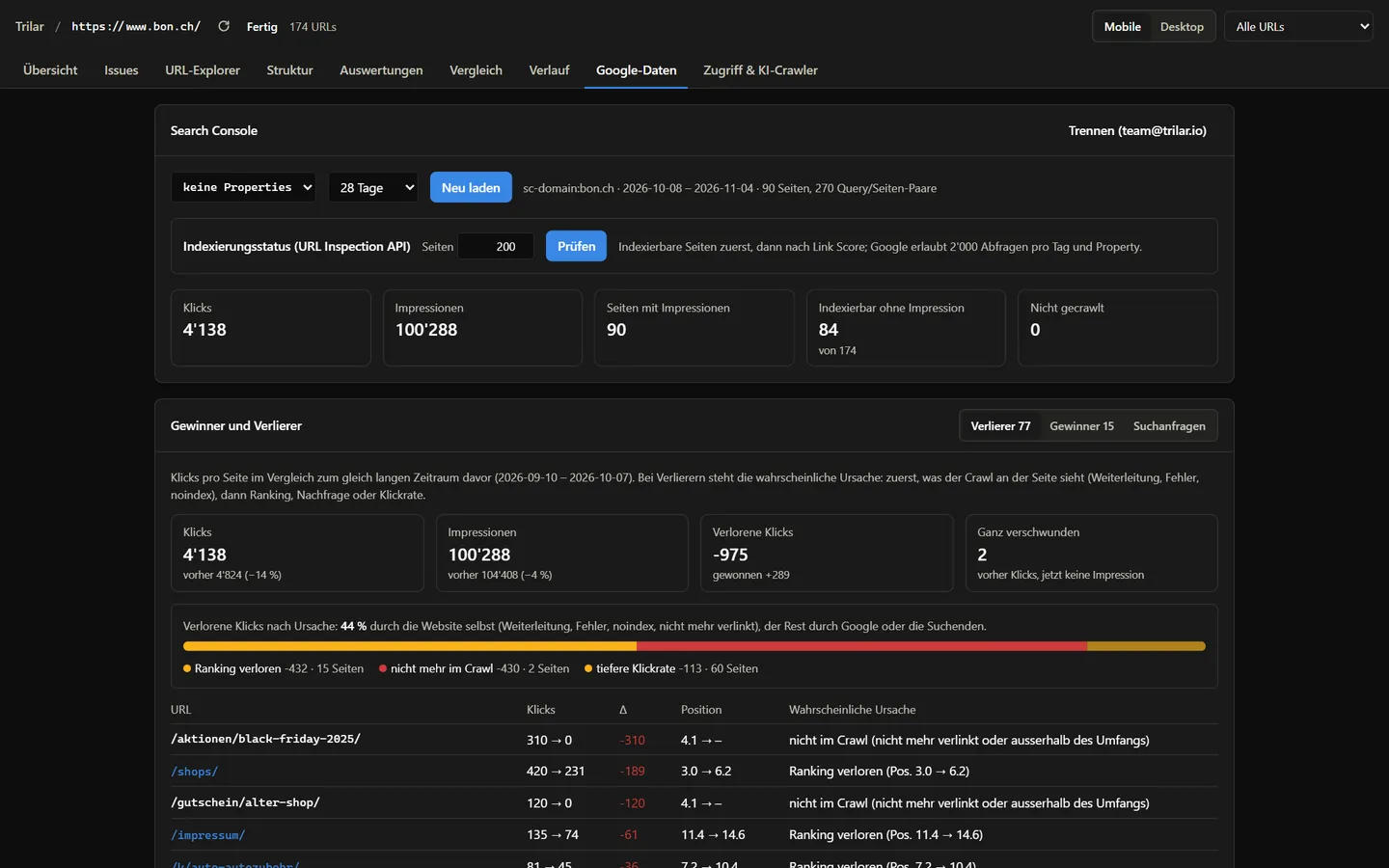
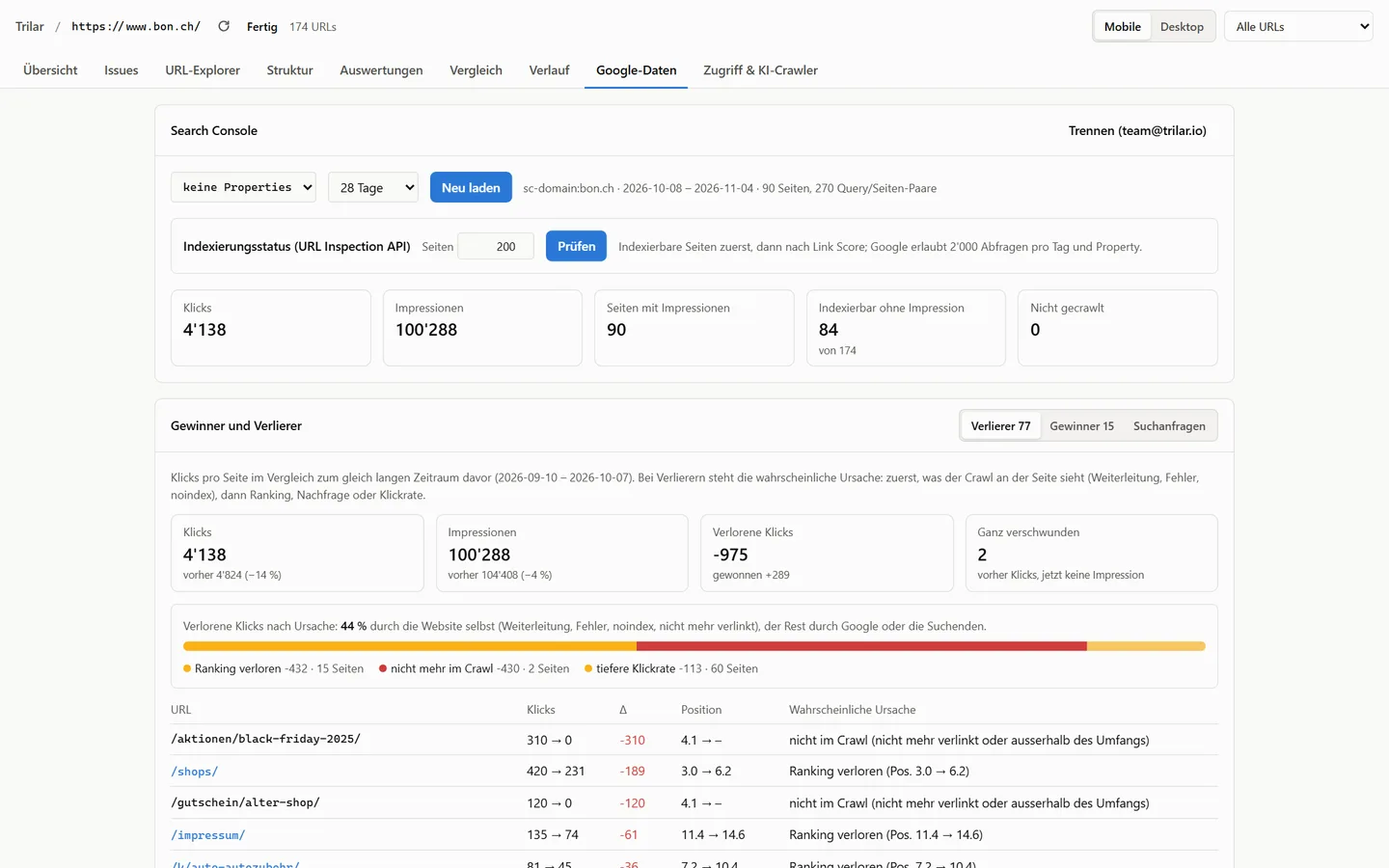
Search Console, Analytics and logs next to every URL

Clicks, impressions and positions against the previous period, Core Web Vitals, PageSpeed and the bot requests from your server logs, right in the crawl. Lost clicks get a cause: ranking, redirect or a page that is gone.

  • Traffic losses by cause
  • Googlebot and AI crawler visits
  • Core Web Vitals from CrUX
Learn more →
Search Console trend in Trilar with lost clicks split by cause Search Console trend in Trilar with lost clicks split by cause
Sample data
Cloud instead of desktop

A crawler that does not run on your computer

Desktop crawlers are thorough, but they borrow your memory, your connection and your patience.

Your machine stays free

Crawls run on our servers and keep going when you close the laptop.

Large sites without a large PC

Every crawl has its own database; analyses run on the server, not in your RAM.

Schedules without a machine left on

Daily, weekly or monthly, compared with the last run, with e-mail and webhooks.

Share a link, not a file

Reports without a login, PDF by e-mail, Google Sheets and task exports.

See comparisons →

How it works

Five steps from URL to fix

  1. Crawl

    Enter a start URL, a sitemap or a list. Mobile and desktop, with rendering and login.

  2. Connect

    Search Console, GA4, CrUX, PageSpeed and server logs join every URL.

  3. Prioritise

    The action plan ranks redirects, content gaps, titles and templates by impact.

  4. Fix

    Export tasks, generate content briefs and alt texts, link entities.

  5. Monitor

    Scheduled crawls compare with the last run and report what broke.

Frequently asked questions

What is the difference between SEO, GEO and AEO?

SEO makes sure search engines can crawl, understand and rank a site. GEO (Generative Engine Optimization) is about being cited as a source in AI-generated answers. AEO (Answer Engine Optimization) shapes content so that single sections answer a question directly and on their own, which is what answer engines quote. Trilar checks all three in the same crawl.

How is Trilar different from a desktop crawler such as Screaming Frog?

Desktop crawlers are thorough tools that run on your own computer. Trilar runs on servers: crawls keep going when you close your laptop, large crawls do not depend on your RAM, schedules run without a machine left on, and results are shared by link. It also brings data sources (Search Console, GA4, CrUX, logs) and AI search checks together in one place. See our comparison pages for a fair side-by-side view.

Can Trilar crawl JavaScript websites?

Yes. Trilar renders pages in headless Chromium and compares the rendered result with the HTML the server delivers, so you see which content, links and tags only exist after JavaScript runs.

How does Trilar measure visibility in AI answers?

Trilar asks an AI model with live web search your important search queries, the way AI search engines answer them, and records whether your site is cited, at which position, and which domains are cited instead. Results are stored, so you can follow the trend over time.

What does Trilar cost?

Trilar is in early access. Plans are based on the number of crawled URLs per month plus credits for AI features. Write to us and we will set up access and discuss the right plan.

All questions →

See what AI search costs your website

Trilar is in early access. Tell us the domain you want to crawl; we set up access and go through the first crawl with you.

access@trilar.io · +41 76 77 99 820